Inside quirion
The Piggy Bank on Autopilot
Published on 3 min read

With the new multibanking feature in the quirion app, saving is now even easier: your savings rate simply adjusts to your account balance.
Sound familiar? At the end of the month there's a little money left over. It seems a shame to just let it sit there. But somehow you don't feel like thinking about how you might reinvest it right now. It's perhaps a bit too little for a large one-off investment. Yet you don't really want to commit to a fixed savings amount either.
In that case, a brand-new feature in the quirion app is just the thing for you. Because our app now offers multibanking too — the starting point for a flexible savings plan that, once a month, invests the liquidity freely available in your current account into the investment strategy you have chosen at quirion.
Multibanking at quirion
Multibanking means you can now connect the quirion app to your current account. Once linked, all your account transactions are also visible in the app. That alone gives you a far better overview of your finances. The data is stored securely using certified encryption technologies.
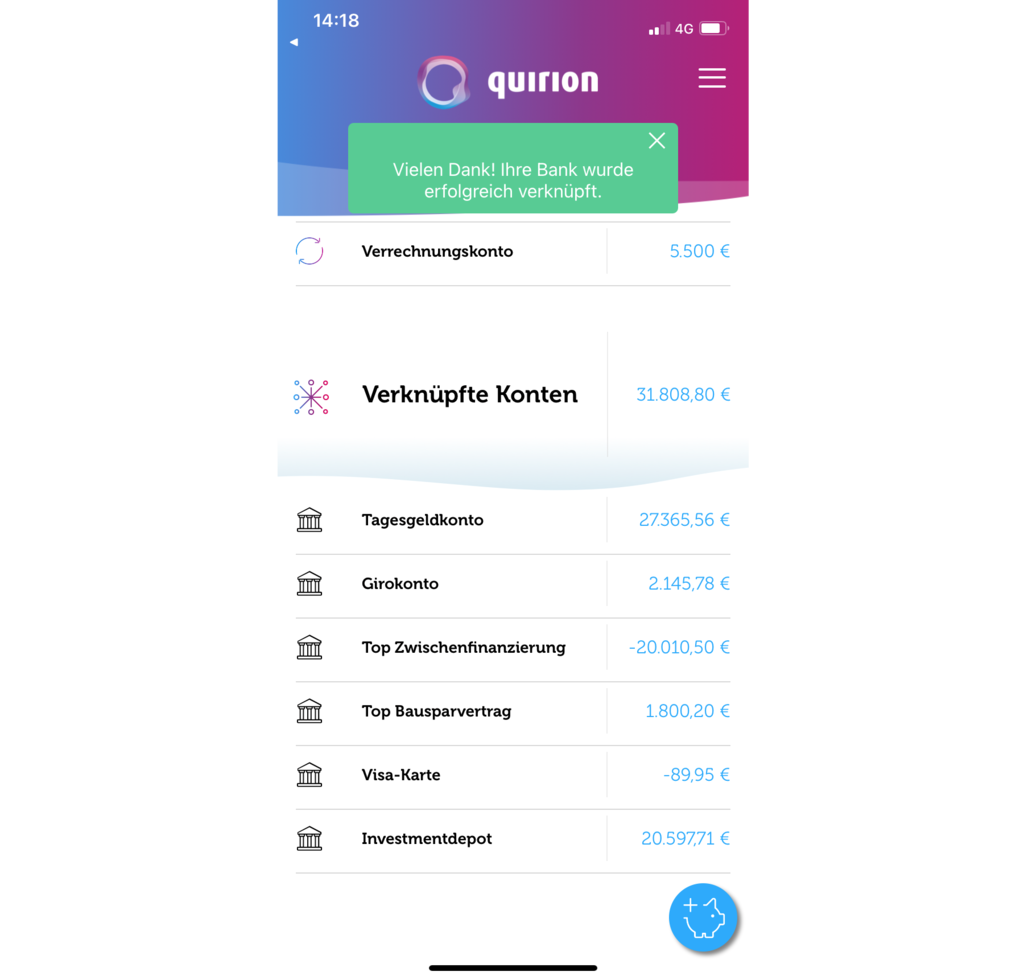
The new savings feature is what gives multibanking real added value: once you've connected your account, simply head to the „Saving“ section to set up the autopilot.
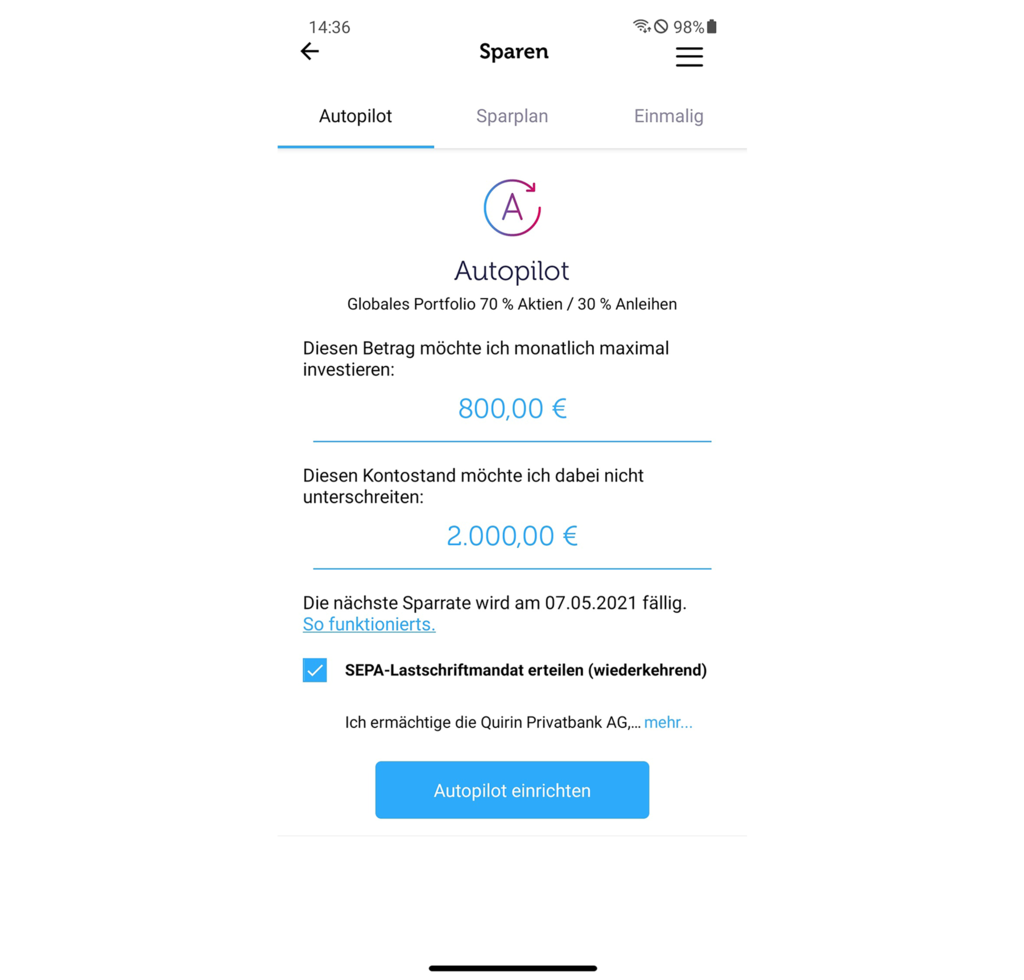
Setting up the autopilot
- First, you specify the maximum amount you want to set aside each month.
- Then you state the account balance you don't want to fall below — a financial reserve that stays in your account even at the end of the month.
- You keep full flexibility: you can skip a month at any time, adjust amounts, or switch the autopilot off again.
An example:
First, consider how much you'd like to save at most per month — say, €800 a month. This upper limit then prevents, for instance, your 13th-month salary from being invested immediately when you still want to buy Christmas presents with it.
Then you set the amount that should remain in your account as a reserve at the end of the month at most. For example, €2,000.
A few days before your next salary arrives, the autopilot then checks whether more than €2,000 is in the account. If that's the case, only this „surplus“ is subsequently invested automatically — up to the upper limit of €800. Isn't that better than simply letting the money go to waste?
Incidentally, a feature like this currently doesn't exist anywhere else on the (robo-advisor) market. The service is free. And it's only our first step into multibanking. Because we want to develop the quirion app into the central hub for your personal finances.
You can find the quirion app with autopilot here.
More from the blog

We have developed our sustainable portfolio further
As part of our regular rebalancing, we changed our sustainable ETF portfolio a little more than usual this time. Here is what it does for you.
02. Oct 2026

Working smarter with AI: he knows how
As Technical AI Lead, Felix Behne makes sure artificial intelligence does real work at quirion. How he found his way to us, and what he is building now.
28. Aug 2026

Concentrated power for your portfolio
quirion and Quirin Privatbank work closely intertwined as one team. That brings many advantages for customers.
05. Aug 2026
Invest now and build your wealth.
Open an account in just a few minutes with the test winner.